
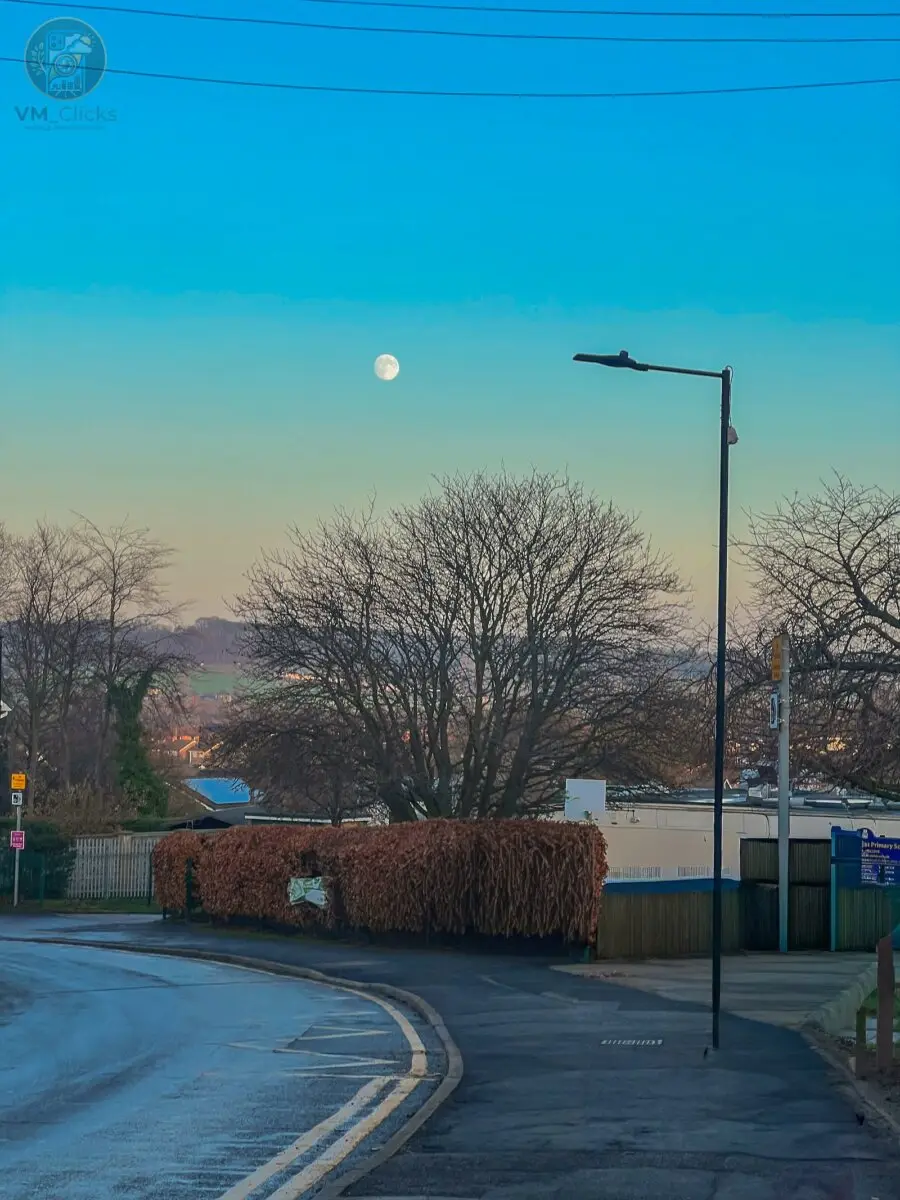
I wasn’t planning to take photos that afternoon.It was around 3:15 PM on a cold winter day in Mexborough, South Yorkshire, and I was waiting outside St John’s Primary School to pick up my nieces.Then I looked up.There it was — the moon, bright and clear in the middle of the afternoon sky.Not a faint blur, but a visible, almost-full moon above rooftops, winter trees, and distant South Yorkshire hills. The sky shifted from deep blue overhead to a warm golden haze near the horizon.I pulled out my iPhone 13 Pro and took the shot.
Why Daytime Moon Photography Is Worth Trying
Most people think moon photography only works at night.
That’s a mistake.
Daytime moon photography creates a different mood:
Softer contrast
Richer sky colours
More environmental detail
Stronger sense of place
Instead of isolating the moon, you tell a wider story.That’s what made this shot work.
How to Photograph the Moon on iPhone
If you’re wondering how to photograph the moon on iPhone, these simple steps matter more than gear.
1. Tap to Focus on the Moon
Your phone may expose for the sky or buildings.
Tap directly on the moon, then reduce exposure slightly.
This prevents the moon from turning into a bright white circle.
2. Hold Completely Still
Even daytime shots need stability.
I held my breath briefly and tapped the shutter gently.
Small shakes reduce sharpness—especially when the subject is distant.
3. Use the Main Lens
I avoided zoom.
Instead, I captured the wider environment—road, hedges, rooftops, and sky.
A moon within a scene feels more powerful than a tight crop.
Editing in Adobe Lightroom Mobile
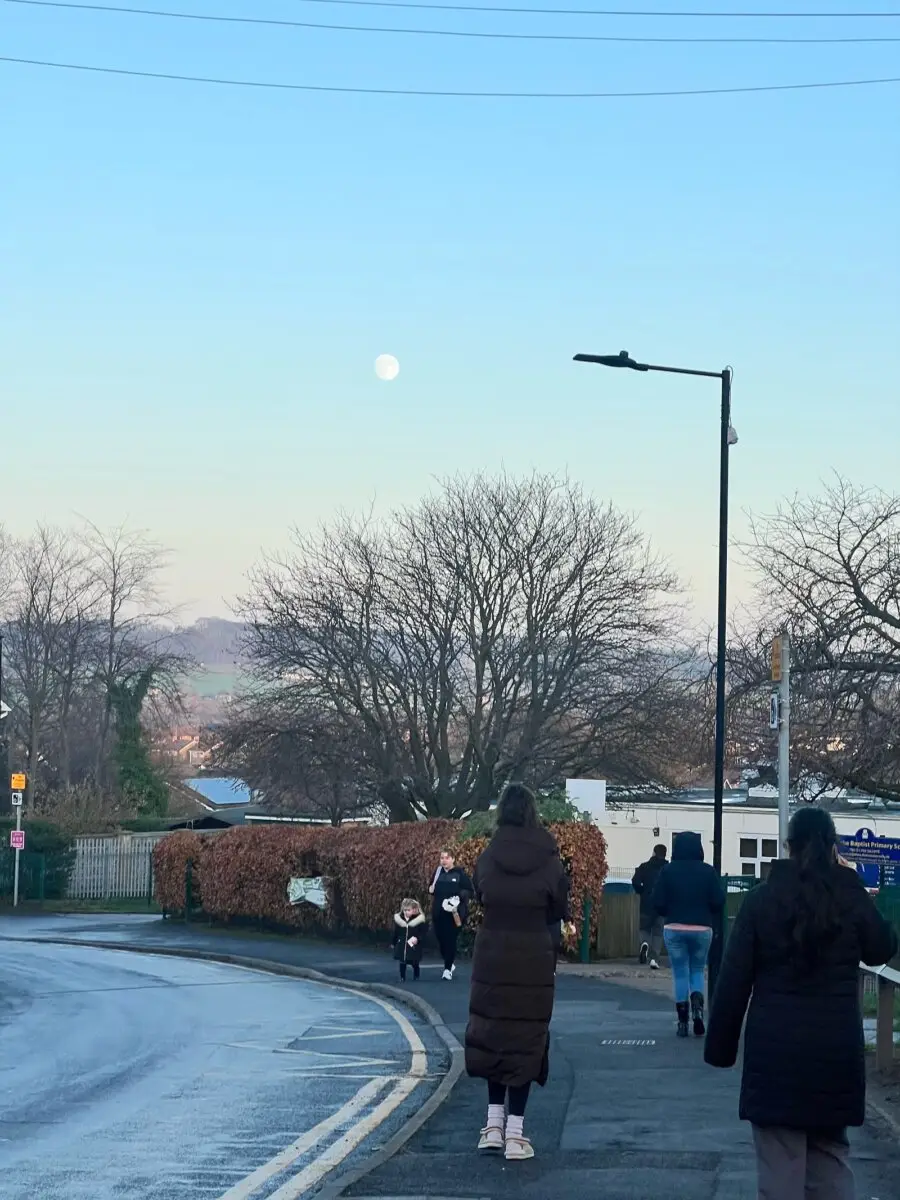
The original photo was strong, but the pavement was busy with parents and children leaving school.
That distracted from the calm mood.
I used the Object Remover in Adobe Lightroom Mobile to clean the scene.
The results were surprisingly natural.For Lightroom object remover mobile editing, I simply painted over unwanted people, and the app rebuilt the background smoothly.
No obvious patches. No smearing.
Colour Grading for a Natural Look
After cleanup, I adjusted:
Cooler blue tones in the upper sky
Warmth in the lower horizon
Slight shadow lift for road and hedge detail
The goal was realism—not over-editing.
A strong photo should feel authentic.
What This Shot Taught Me
The best images often happen when you least expect them.
I wasn’t on a photo walk.
I wasn’t planning content.
I was on a school run.
But I had my phone, I looked up, and I captured the moment.
That’s the foundation of great mobile photography.
Awareness beats preparation.
Key Takeaways for Daytime Moon Photography
If you want better daytime moon photography UK results:
Shoot when the moon is visible before sunset
Tap to focus and reduce exposure
Avoid heavy zoom
Keep surrounding elements in frame
Edit carefully for realism
Captured on iPhone 13 Pro
Edited in Adobe Lightroom Mobile
St John’s Primary School, Mexborough, South Yorkshire, UK